

GROUPFLOW
Your groups, ordered by the plan.
GroupFlow reads every fixture of the patch with its 3D position, finds the positions of the rig, front, LX bars, circles, ladders, booms, floor and wall, and the fixture types, and builds the groups you usually make by hand: all, odd, even, stage right, stage left, symmetric, thirds, quarters and blocks, each one with its own selection grid.
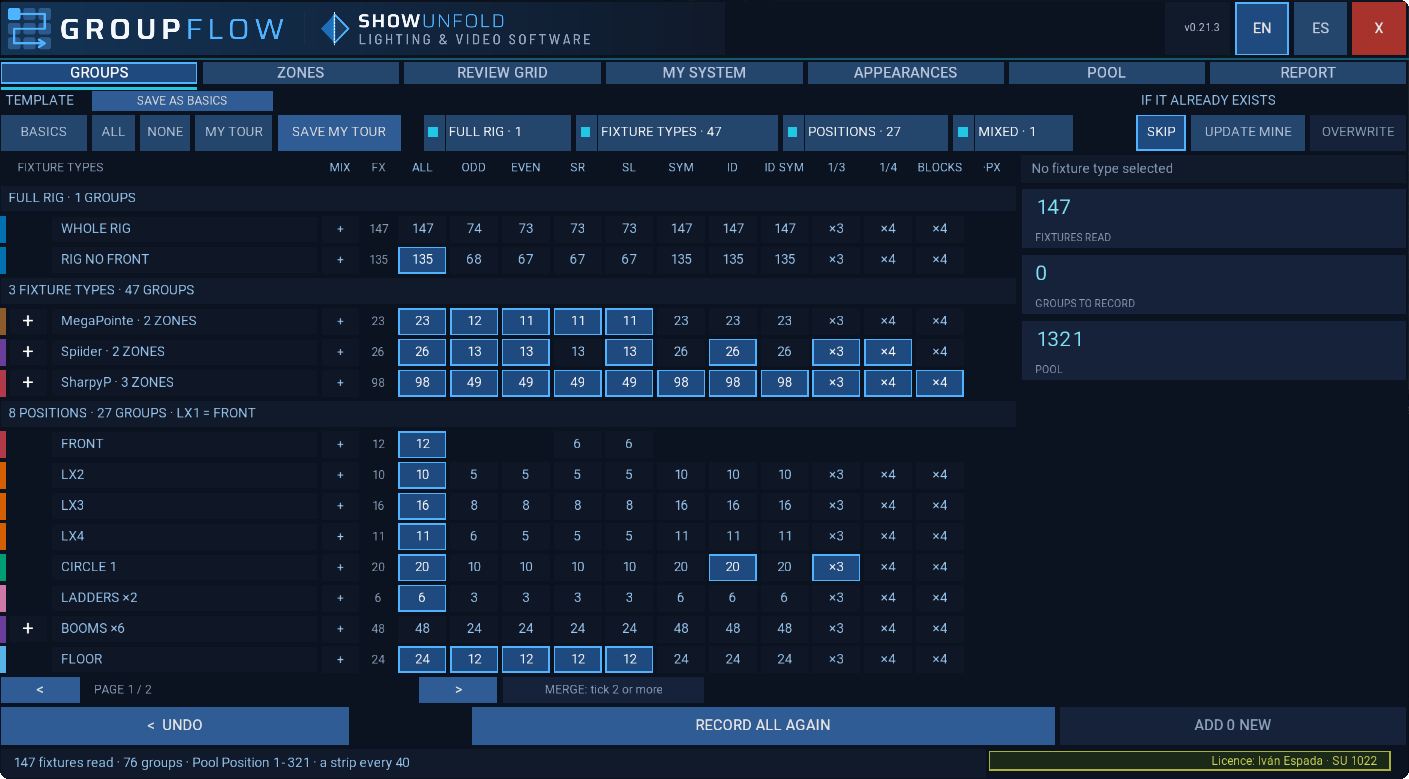
Tick the groups. GroupFlow records them.
Groups in a matrix
Positions and fixture types in rows, divisions in columns. Tick a cell and that group is recorded. Tap any cell and the group is selected in MA with its grid and MAtricks, before anything is recorded.
Selection grids that follow the plan
Every group keeps a selection grid built from the 3D, symmetric, with three proposals to choose from. Check each one in MA and confirm it.
Everything in one go, in Blind
One button records every ticked group, from which group to which, and asks first. Later, ADD NEW adds only what is new: nothing already recorded moves or changes number.
The same fixture type, split by zone
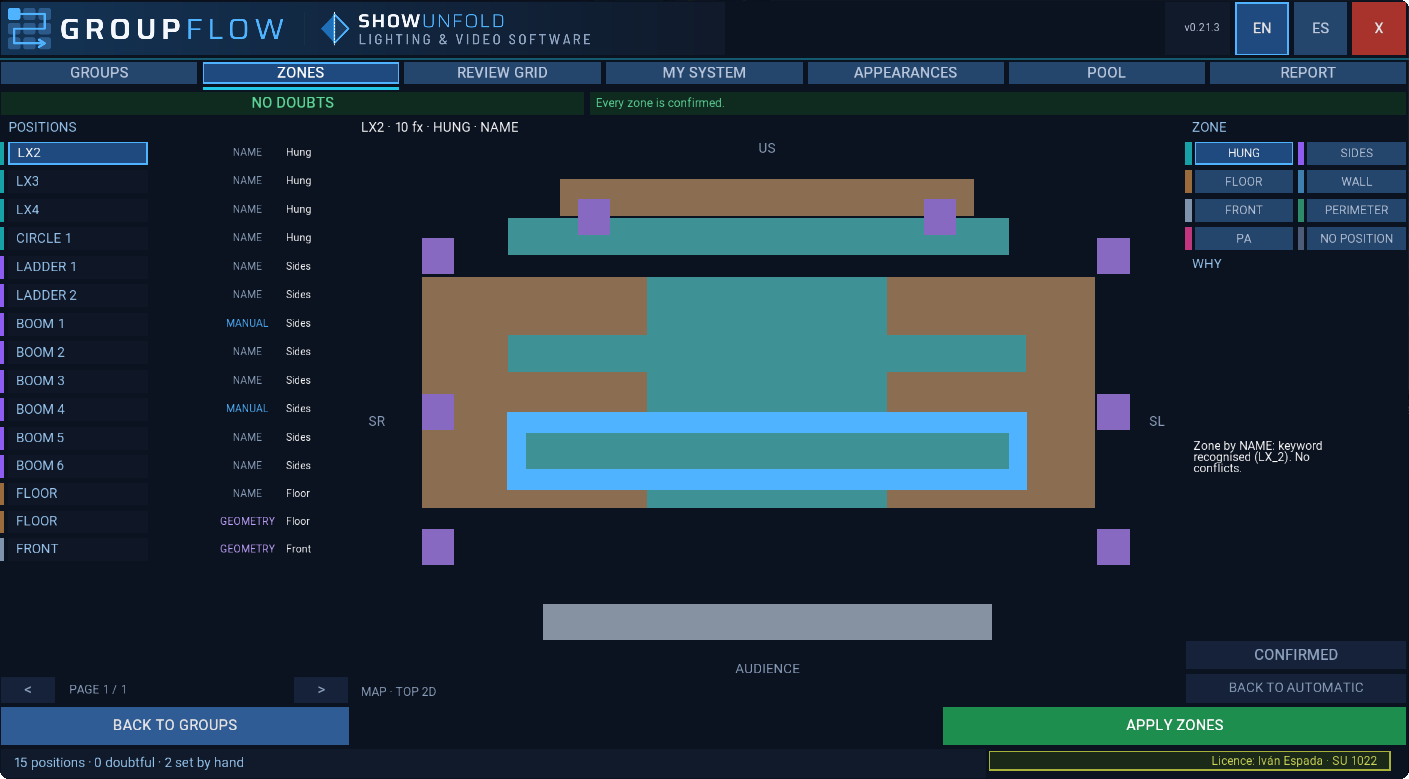
Hung, sides, floor, wall or front: GroupFlow places every position on a top view of the stage, and one fixture type can be split by zones that you can combine.
A colour and a style for every group
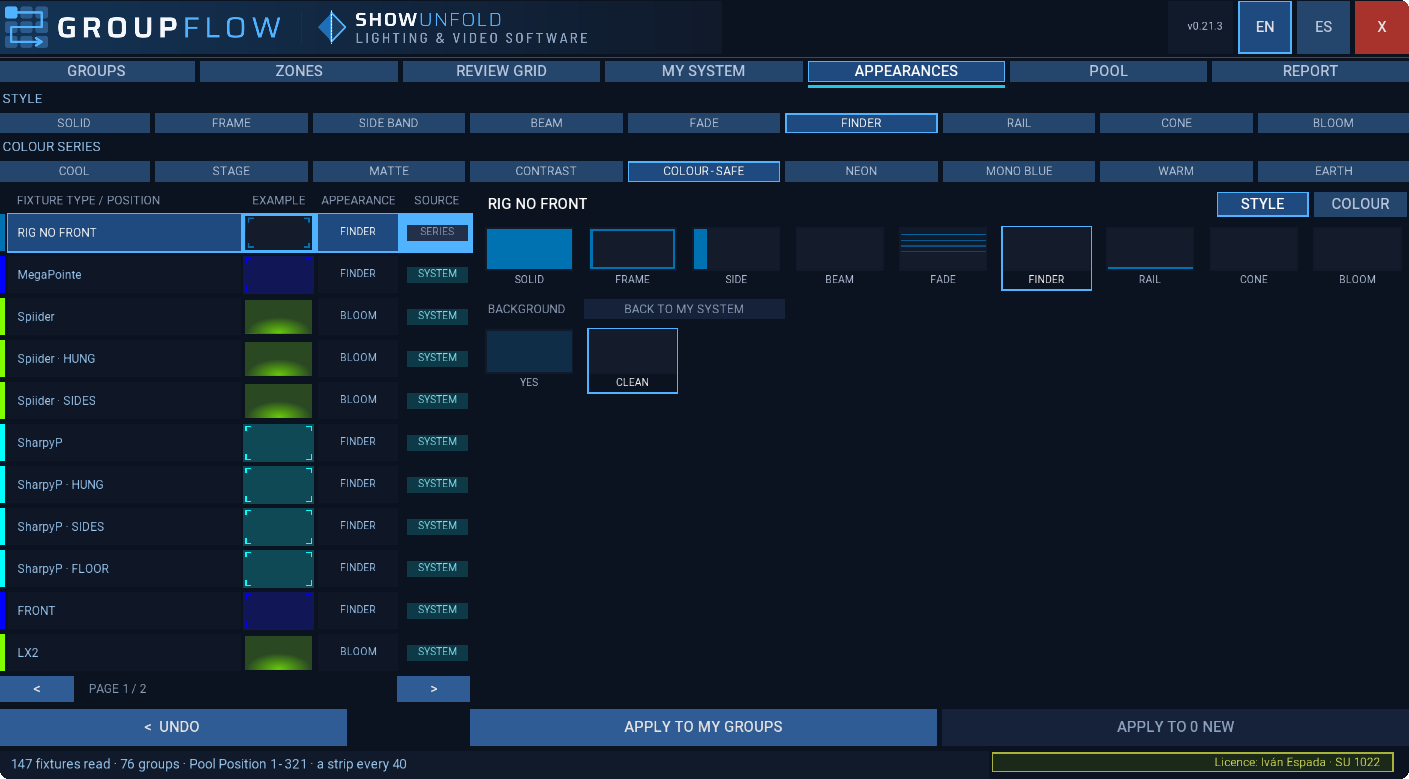
Each group gets a colour and a style by category of fixture, from your own set of looks that travels with you from show to show.
Every group, before and after recording
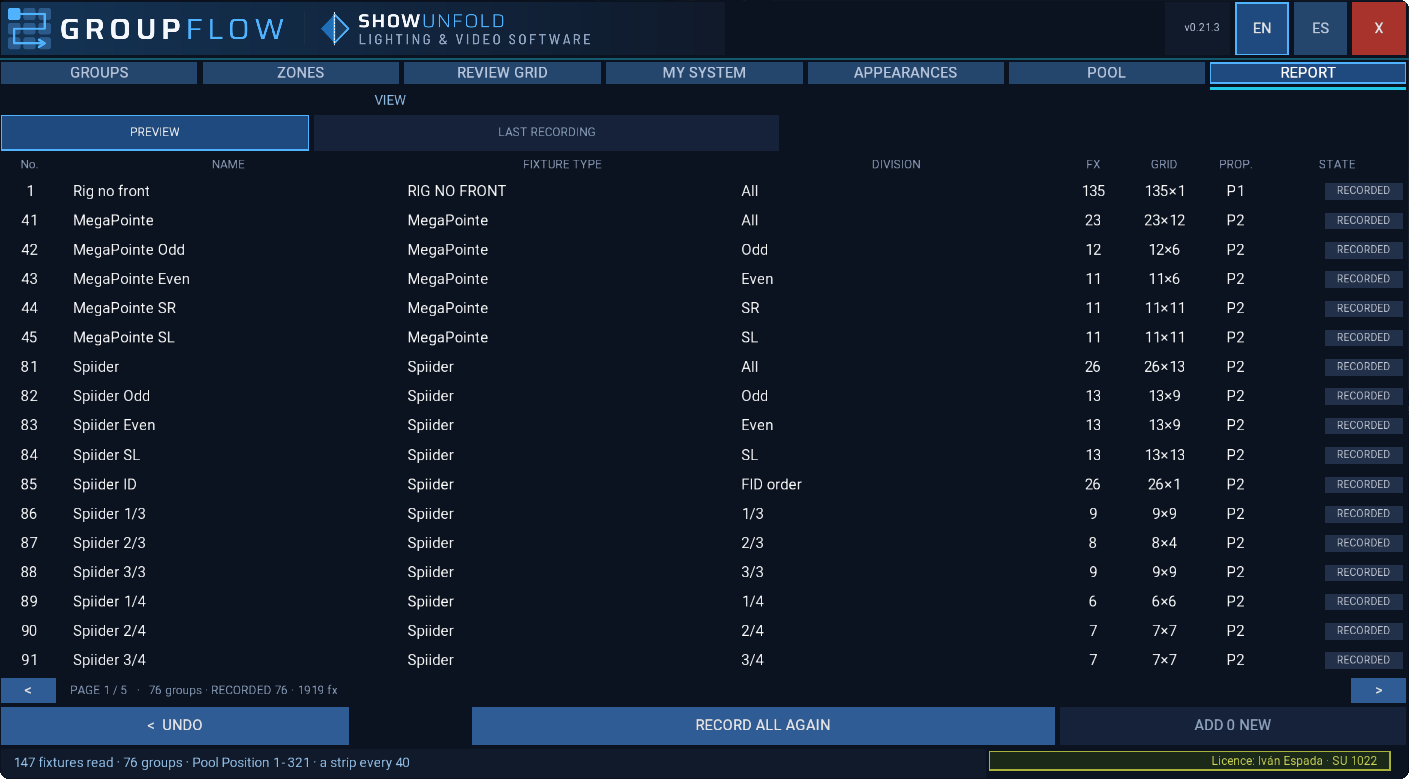
A list of every group with its number and its state, before you record and after the last recording.
Your groups are safe
Blind, always
GroupFlow records in Blind and asks before recording.
Only its own groups
Every group it records carries its own note. It never touches a group it did not create.
UNDO
Removes only the groups made by GroupFlow, and then its appearances that nothing of yours uses.
Tidy pool
One strip per family in the Group Pool, room left to add groups later, and a view ready for your screens.
Your tour, saved
Save your choice of cells, proposals and appearances and load it in the next show of the tour.
It remembers each show
Open it again and you find your cells, proposals and appearances as you left them.
Requirements
- grandMA3Software 2.5.x
- HardwaregrandMA3 consoles and onPC for Windows
- PatchFixtures with their 3D position, for example from an MVR
- LicenceYour own USB stick, 2 sticks per licence
- LanguagesEnglish, Spanish
FAQ
Will it touch the groups I already have?
No. GroupFlow only records, changes or deletes the groups it created itself, each one marked with its own note.
What about fixtures without a 3D position?
They are still included in the whole rig and in their fixture type groups.
Can I add groups after the first recording?
Yes. ADD NEW records only what is new, and nothing already recorded moves or changes number.
What if I change rental desk every show?
Your licence lives on your USB stick, not on the console. Plug it into any grandMA3 and go.