

PATCHPILOT
Smart patching, straight from the 3D of your show.
It reads where every fixture hangs, finds your trusses, towers and floor lines, and patches them the way a crew would cable them, without ever placing a fixture on top of one already patched.
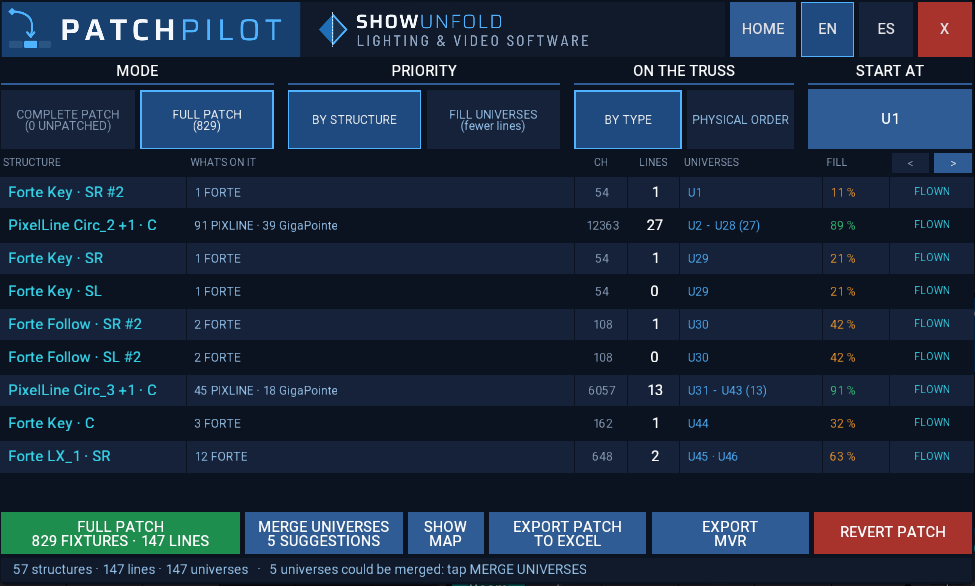
Measured on a real TV-studio rig loaded in grandMA3 onPC 2.5.1.
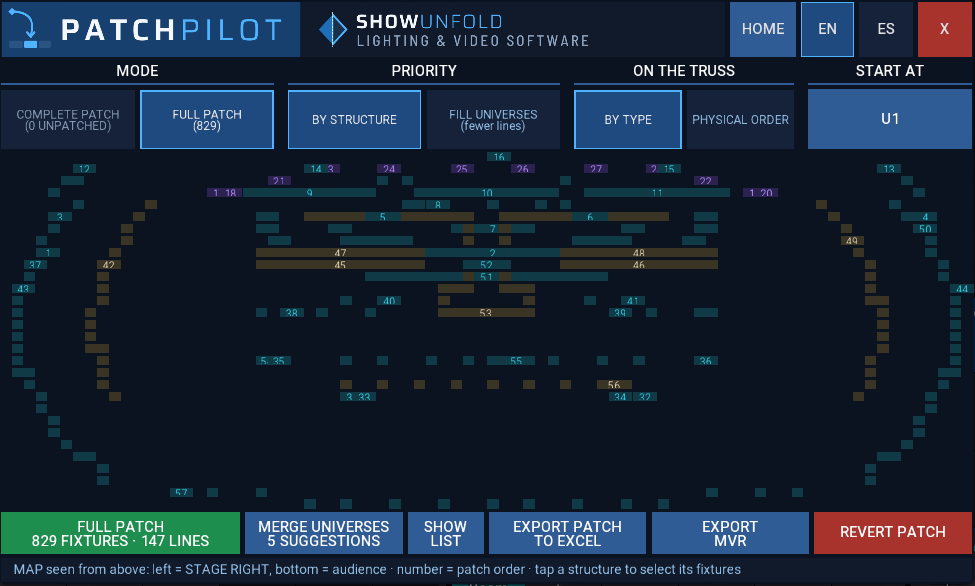
AUTOPILOT reads the 3D and finds every truss, circle, tower and floor line: here, the 57 structures of a real TV-studio rig, numbered in patch order. Tap one and its fixtures are selected on the desk.
The whole rig, or just what you selected
Patch the whole rig
Full patch from scratch, or Complete patch: only the fixtures still unpatched, leaving everything else exactly where it is. Choose one cable per structure or fill universes, and keep each fixture type together on the truss.
Patch your selection
Select fixtures or groups and pick a strategy: all together, fill the gaps, after the last one, one type per universe, next to their neighbours or by hand.
See what fits before you patch
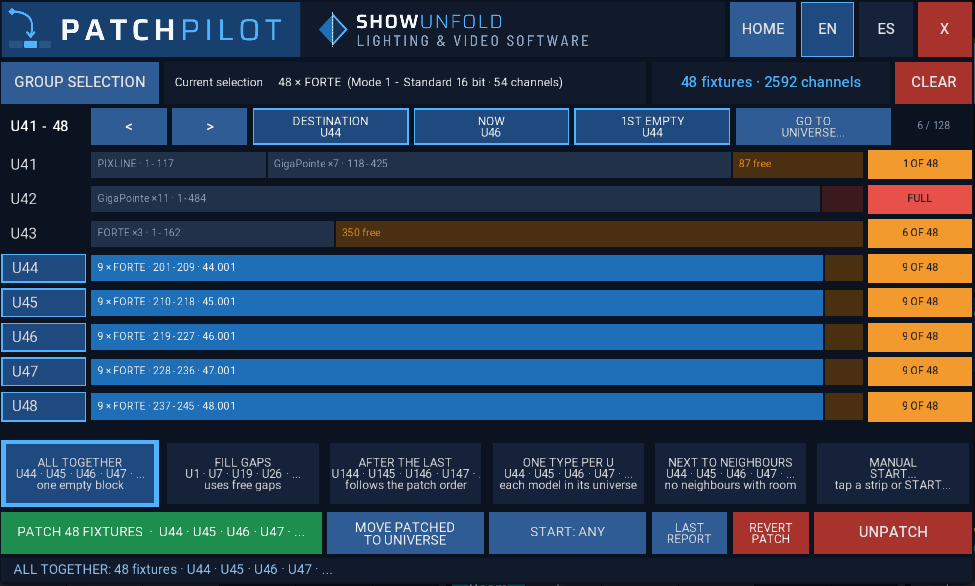
Every universe appears as a DMX strip: what is already there, what is free and where your selection would land, before you commit.
Six strategies, each one shown before you commit
Select fixtures or groups and every universe appears as a DMX strip. Six strategies, from all together to next to their neighbours, each one showing its universes before you commit.
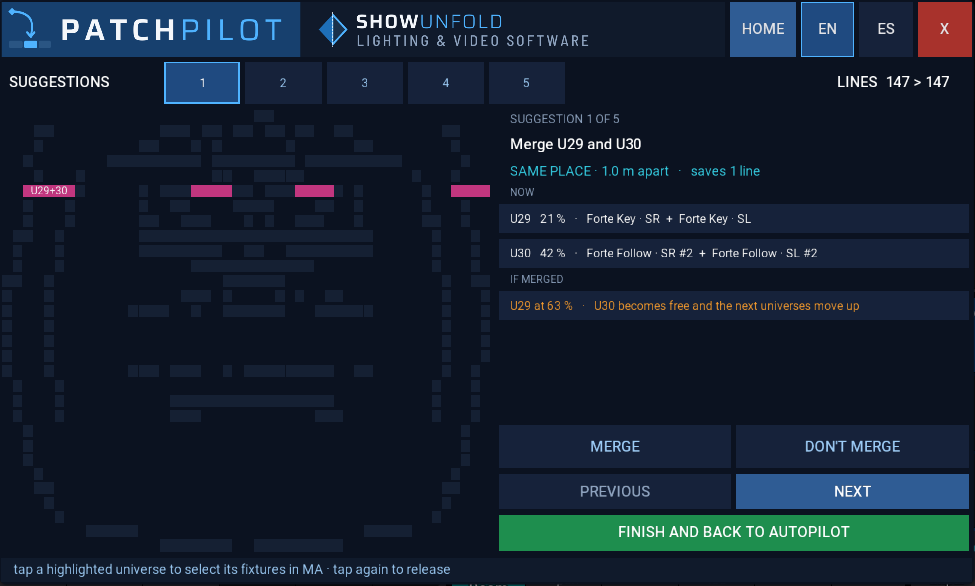
Half-empty universes? It offers to merge them
Key lights, follow spots and small symmetric positions often end up alone in a universe. PatchPilot suggests merges that make sense, shows them on the map, and you decide: merge or not, one by one.
A report made to be photographed
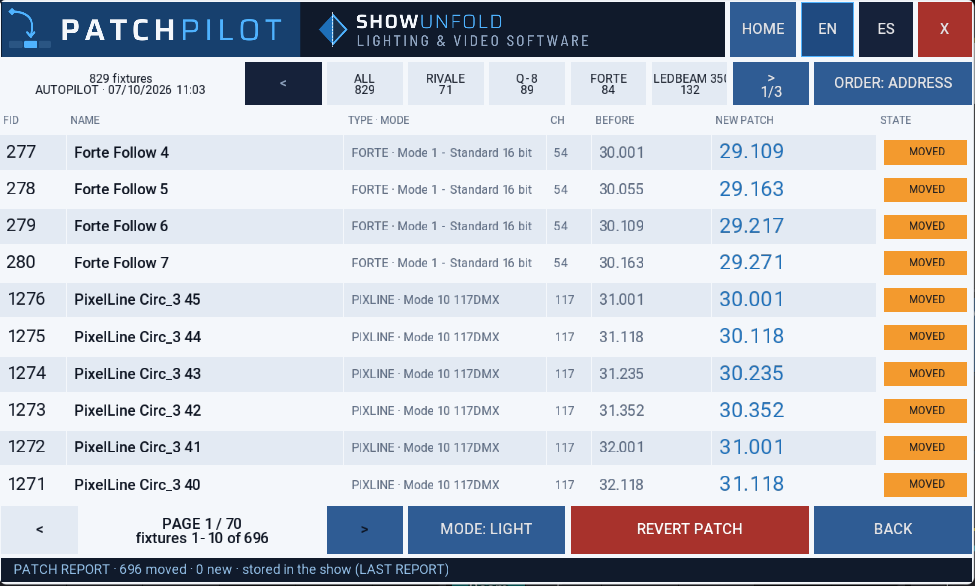
After every patch, the old and new address of each fixture, filtered by type or by what moved. Switch to light mode, take a photo with your phone and the crew can start cabling. Changed your mind? REVERT puts everything back in one tap.
And everything a crew needs on the day
Map of the rig
Every truss, tower and floor line in its real shape, numbered in patch order. Tap one and its fixtures are selected on the desk.
Revert in one tap
Every patch can be undone, putting each fixture back where it was.
Never on top of another fixture
Every strategy checks the addresses already in use, so a patch never overlaps fixtures that are already patched.
Excel patch list
Print-ready, with your show name, by universe, by structure and by type. Never overwrites a previous export.
MVR export
Exports the stage as MVR, ready for your visualiser.
English and Spanish
Switch the language at any time from the plugin header.
Requirements
- grandMA3Software 2.5.x
- HardwaregrandMA3 consoles and onPC for Windows
- LicenceYour own USB stick, 2 sticks per licence
- LanguagesEnglish, Spanish
FAQ
Does my rig need anything special?
Only the fixtures' 3D positions in the patch, as they come from an MVR or from your own plot. PatchPilot works out the structures by itself.
Will it touch fixtures that are already patched?
Only if you choose Full patch. Complete patch leaves every patched fixture exactly where it is, and nothing is ever placed on top of another fixture.
What if I change rental desk every show?
Your licence lives on your USB stick, not on the console. Plug it into any grandMA3 and go.
Can I undo a patch?
Yes. REVERT puts every fixture back to its previous address in one tap.
Patch your next show in minutes
Or get PatchPilot and PosiFlow together in the SHOWUNFOLD Pack.